

Standard Plan required. The Chatbase API v2 is available starting from the Standard Plan. View pricing →
Overview
The Chatbase REST API enables you to integrate AI-powered conversations into any application or workflow. Build custom chat experiences, automate customer interactions, and manage your AI agents programmatically. API v2 features structured error codes, cursor-based pagination, and real-time streaming via Server-Sent Events (SSE). Base URL:Send Messages
Chat with your AI agents and handle real-time streaming responses
Manage AI Agents
Create, configure, and update AI agents and their training sources
Access Data
Retrieve conversations and messages from your AI interactions
Quick Start
1
Get Your API Key
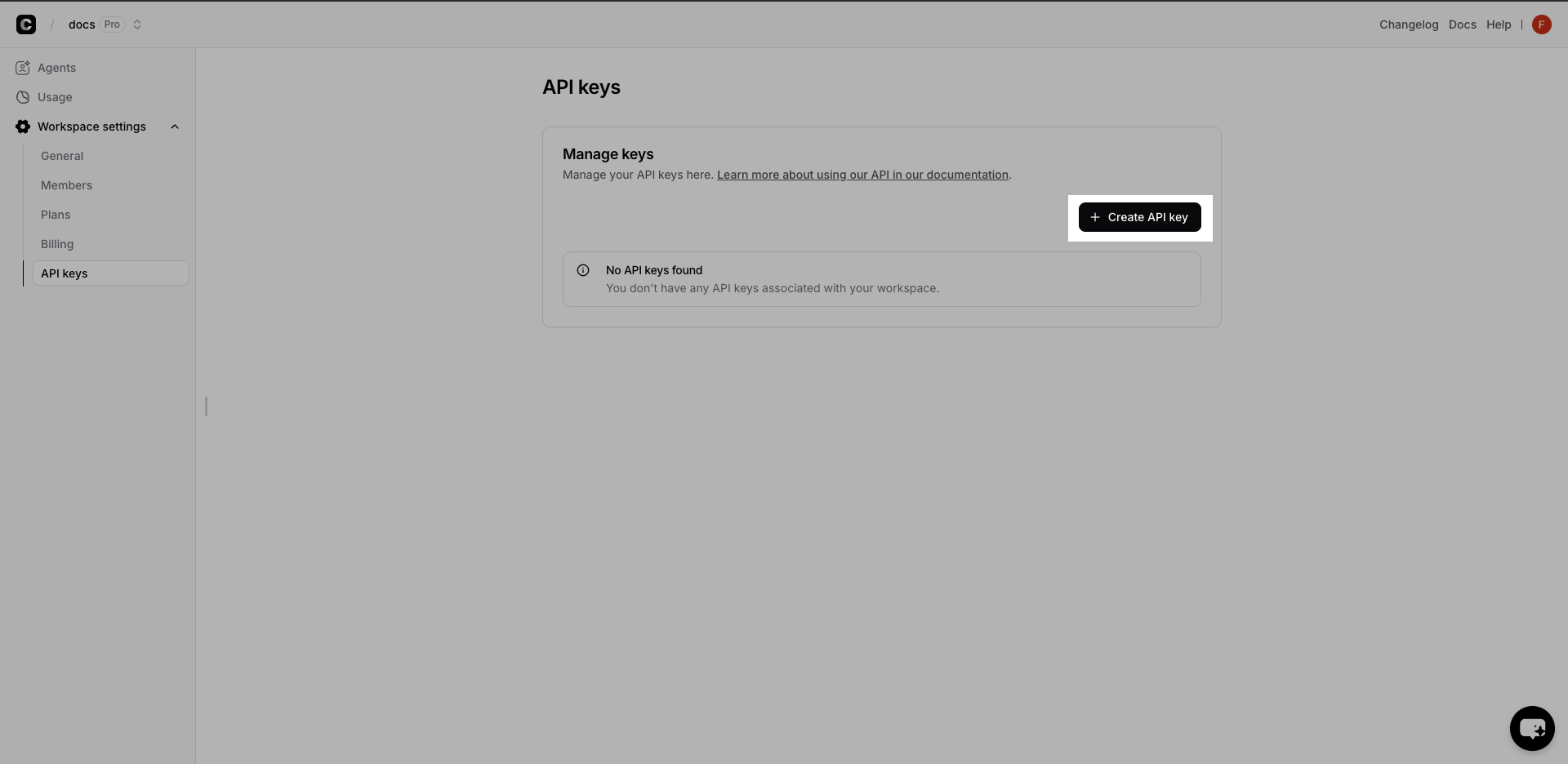
- Visit your Chatbase Dashboard
- Go to Workspace settings → API keys
- Click Create API Key and copy the generated key
2
Get Your Agent ID
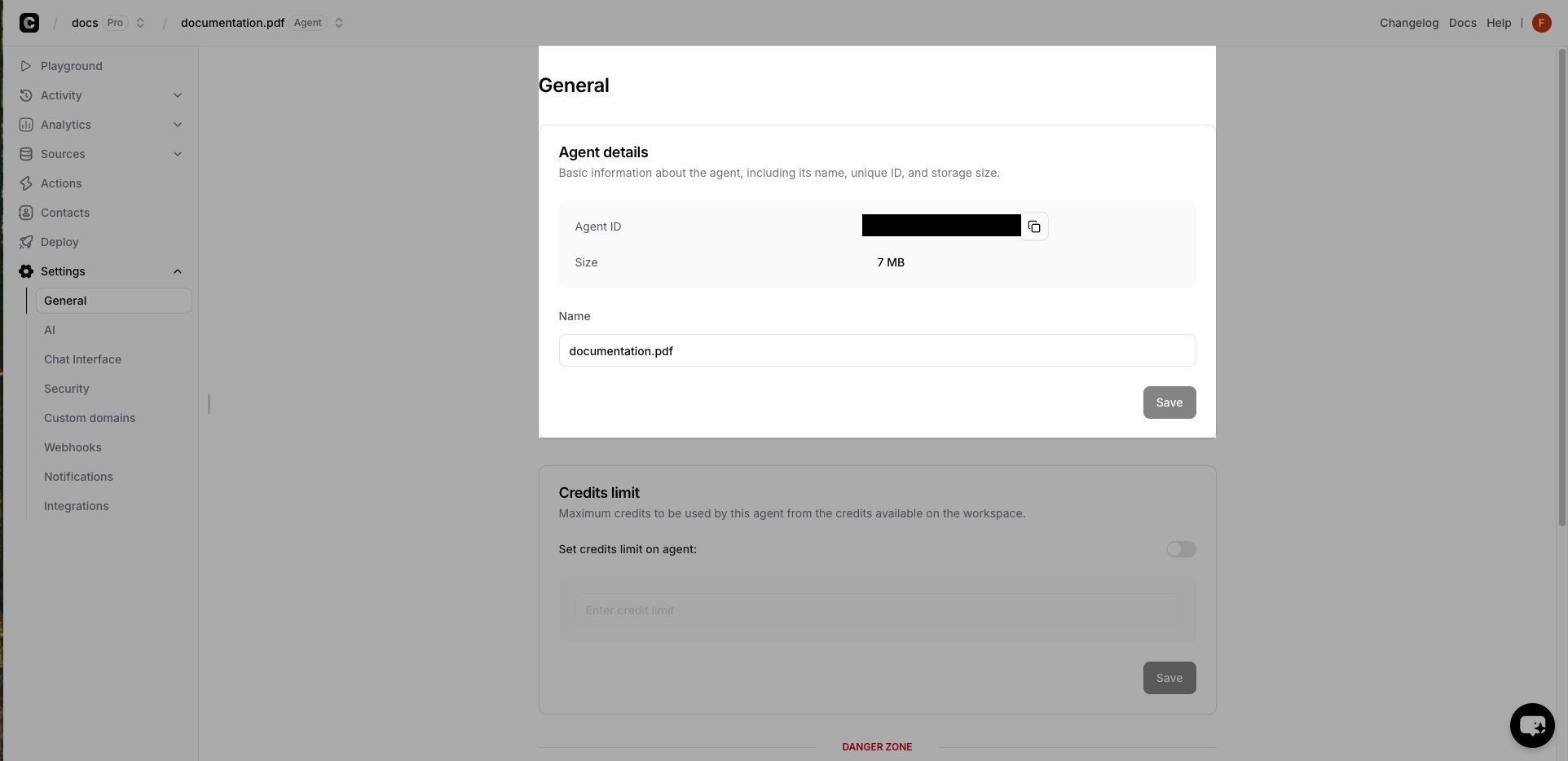
- Select your AI Agent in the dashboard
- Go to Settings → General
- Copy the Agent ID from the Agent details card
3
Send Your First Message
Test your integration with a simple chat request:Expected Response:
stream defaults to true in API v2. Set it to false to receive the complete message as a single JSON response.4
Continue the Conversation
Conversation history is stored by Chatbase — you don’t need to resend previous messages. Pass the To associate a new conversation with one of your users, pass a
conversationId from the previous response to send a follow-up:userId on the first message. See User Conversations for details.Chat API Streaming
The chat API streams responses in real time using Server-Sent Events. Each event is adata: line containing a JSON object with a type field, and the stream ends with data: [DONE]. Concatenate the text-delta events to build the full reply, and read the conversationId from the finish event to continue the conversation.
Error Handling
API v2 returns structured errors with a machine-readablecode:
x-request-id header — include it when contacting support. See Error Handling for all error codes and Rate Limiting for limits and retry guidance.
Performance Best Practices
🚀 Try It Live!
Ready to see the magic in action? Dive straight into our interactive playground where you can test every API endpoint, experiment with real responses, and build your integration in real-time.🎮 Launch Interactive Playground
Test APIs instantly • No setup required • Real-time responses • Copy working code snippets
Key API Endpoints
Chat API
Send messages and receive AI responses with streaming support
AI Agent Management
Create, update, and configure AI agents programmatically
Conversations
Access chat history and conversation messages
Sources
Add and manage the training sources for your AI agents
API v2 Overview
Explore the full API v2 reference — authentication, streaming, client actions, pagination, and more