> ## Documentation Index
> Fetch the complete documentation index at: https://chatbase.co/docs/llms.txt
> Use this file to discover all available pages before exploring further.
# Chatbase Live Chat
> Hand a conversation from your AI agent to a human agent in the Chatbase Helpdesk, in real time
## Overview
The Chatbase Live Chat action lets your AI agent hand a conversation over to a human support agent through the Chatbase Helpdesk. When triggered, the conversation is routed straight to your Helpdesk inbox so your team can continue helping the customer in real time.
Sensitive, urgent, or account-specific issues where the customer needs a person now, rather than a ticket and a follow-up later.
**Common Use Cases:**
* "I want to speak to someone right now"
* "This is urgent"
* "The AI isn't helping me"
**Prerequisite:** The Chatbase Helpdesk must be enabled. Click **Helpdesk inbox** in the sidebar and enable it from there. See the [Helpdesk overview](/docs/user-guides/chatbot/help-desk/help-desk-overview) for how conversations are handled once they arrive.
Live chat routes the conversation to an available human in real time. If you'd rather open a ticket for asynchronous follow-up (in Chatbase Helpdesk or a third-party platform), use [Escalations](/docs/user-guides/chatbot/actions/escalate-to-human) instead.
## How it works
### End-user experience
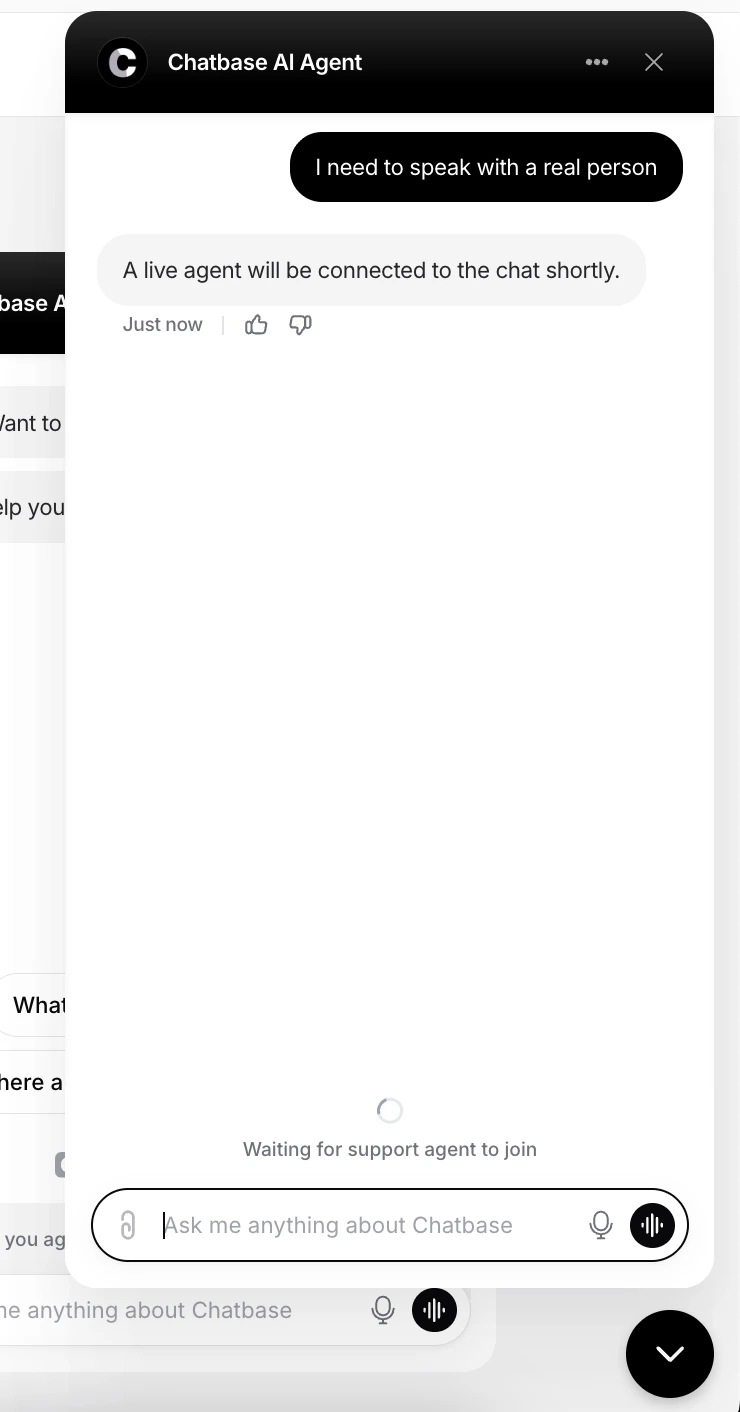
When the AI agent determines that a customer wants to speak with a human, the conversation is handed over to a live support agent. The customer sees a confirmation message in the chat bubble telling them an agent will join shortly.
During this state:
* The AI agent stops handling the conversation
* The chat is marked as a live chat request
* The customer stays connected in the widget while waiting for an agent to respond
 ### Support agents' experience
Support agents are notified immediately when a conversation is escalated to live chat. Inside their inbox, the conversation is clearly labeled as a **Live chat** session so agents can prioritize and respond accordingly.
### Support agents' experience
Support agents are notified immediately when a conversation is escalated to live chat. Inside their inbox, the conversation is clearly labeled as a **Live chat** session so agents can prioritize and respond accordingly.
 Agents can then:
* Reply directly to the customer in real time
* Add internal notes
* Continue the conversation from the existing thread
* Take over seamlessly from the AI agent
Test the action by asking your AI agent to speak to a human, and confirm the conversation appears in your Helpdesk inbox labeled as a live chat.
## Best Practices
Only enable live chat if you have support agents available to respond. An unstaffed live chat is worse than a ticket.
Write tight **When to use** instructions so the AI agent doesn't escalate conversations it could have resolved.
Handle common questions with the AI agent and reserve live chat for what it can't resolve.
Use live chat for sensitive, urgent, or account-specific issues, and [Escalations](/docs/user-guides/chatbot/actions/escalate-to-human) for everything that can wait.
Agents can then:
* Reply directly to the customer in real time
* Add internal notes
* Continue the conversation from the existing thread
* Take over seamlessly from the AI agent
Test the action by asking your AI agent to speak to a human, and confirm the conversation appears in your Helpdesk inbox labeled as a live chat.
## Best Practices
Only enable live chat if you have support agents available to respond. An unstaffed live chat is worse than a ticket.
Write tight **When to use** instructions so the AI agent doesn't escalate conversations it could have resolved.
Handle common questions with the AI agent and reserve live chat for what it can't resolve.
Use live chat for sensitive, urgent, or account-specific issues, and [Escalations](/docs/user-guides/chatbot/actions/escalate-to-human) for everything that can wait.